Page Speed! Every digital marketer shudders at the thought of this….
We may get tons of information on how to improve page speed in a website, starting from cleaning your theme to editing your CMS core files to finally optimising your html / css / scripts codes…
But the core difficulty even before solving the problem or researching the problem lies the conundrum of collecting the data.
How will you collect data on page speed of each URL on your site??
And if you are wondering why should I do it, here is an actual business example.
I recently got a project of updating some features on a website which was done by another developer. A common case in any layman terms. But only this site was not updated with the latest WordPress or PHP for over 2 years! And I made the mistake of not knowing this when I took up this project (amateurish, I know!)
Anyway apart from taking the backup of the website the most important thing as a developer, is to know the website performance before even beginning the project and one of them Page Speed.
So as any other developer I opened the Google Page Speed Insights to get my data. And anyone who is into digital marketing knows that you can only paste one link at a time to get the speed metrics. It had been a while since I had used Google Page Speed Insights and was not aware that they had updated their API. Thankfully for me I stumbled across this awesome article by James McNulty which does exactly the same. Either you can continue reading his article in Moz or you if you want to skip the detailed explanation and just get on with the job, continue scrolling.
The following steps best describe the way to get Page Speed Insights for all your website URLs.
- Get your URLs
- Create a free Google Pagespeeds API
- Download the free Google Spreadsheet containing the script
- Paste your API and URLs in the Google Spreadsheet
- You are done!
1
Get your URLs
Segregating the URLs for which you need the Pagespeed data forms the first task. You can use any tools out there for this purpose. I found SEO Spider to be most convenient. Just enter your website URL and crawl the URLs. Select the filter to HTML and then you can just copy paste the desired links to a notepad.
2Create a free Google Pagespeeds API
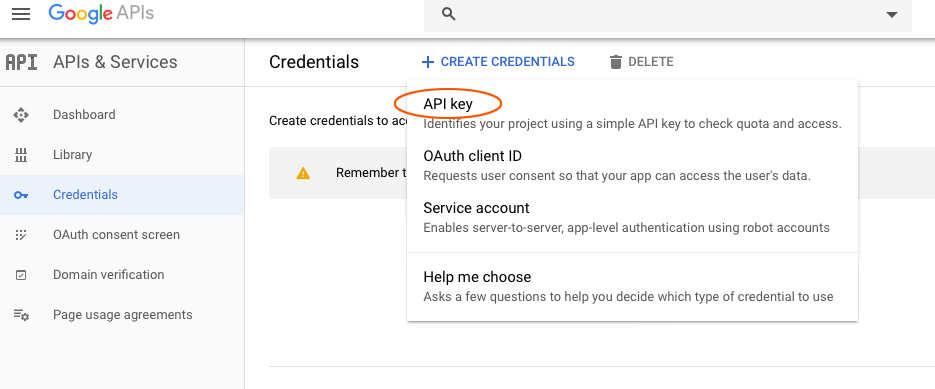
The next step involves creating a Google API to run the tool. Visit the Google API Credentials Page using your Google account and click on Create Credentials and select API.
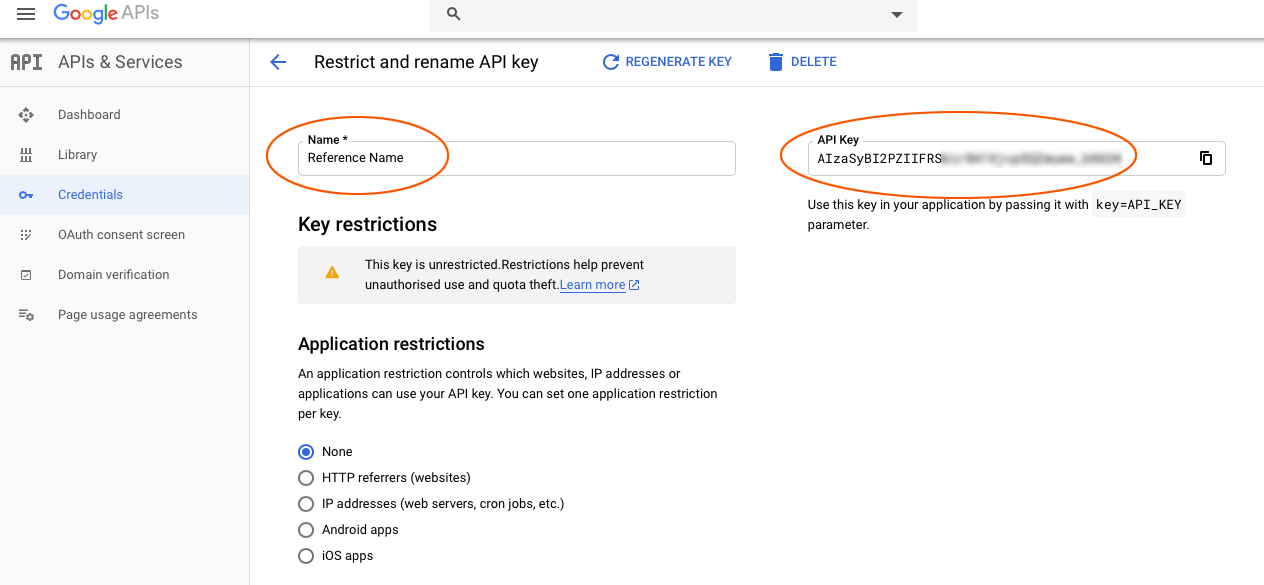
Create a Reference Name for your API key. Copy the API Key to a notepad.
Download the free Google Spreadsheet containing the script
Download the Automated PageSpeed Insights API Tool here and open it.
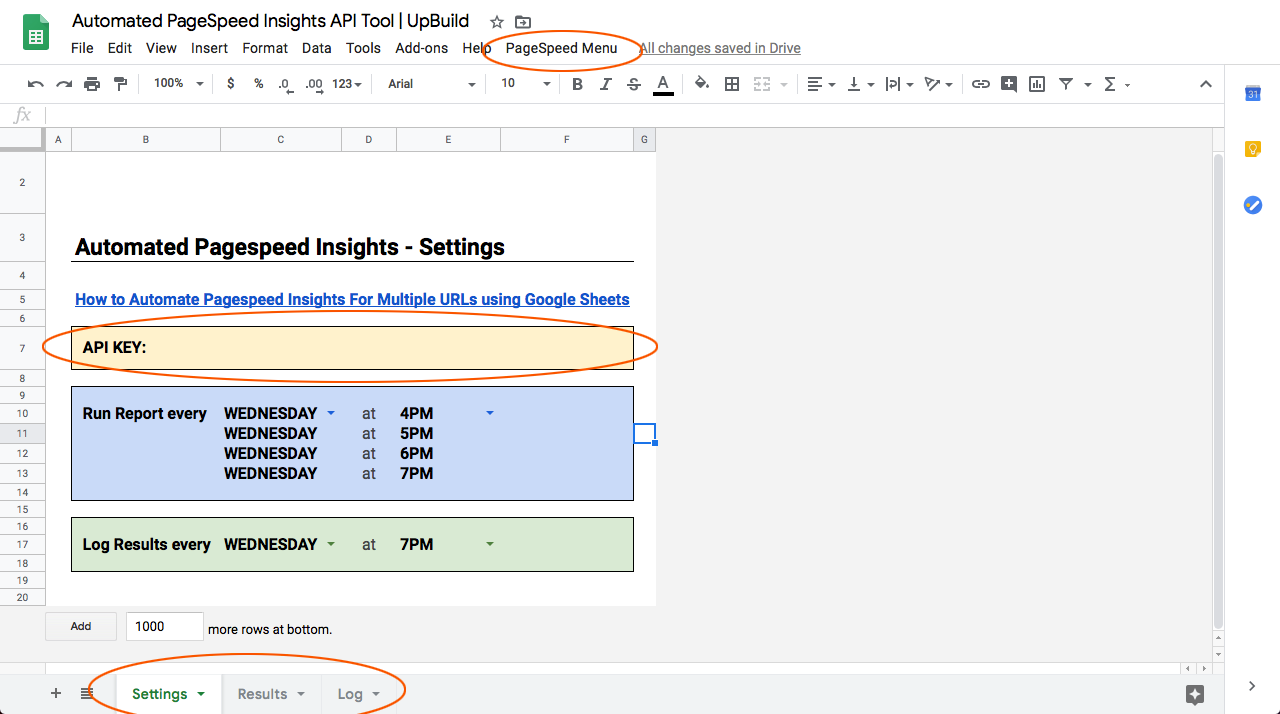
The Google Sheet contains three sheets namely Settings, Results and Log which are self explanatory.
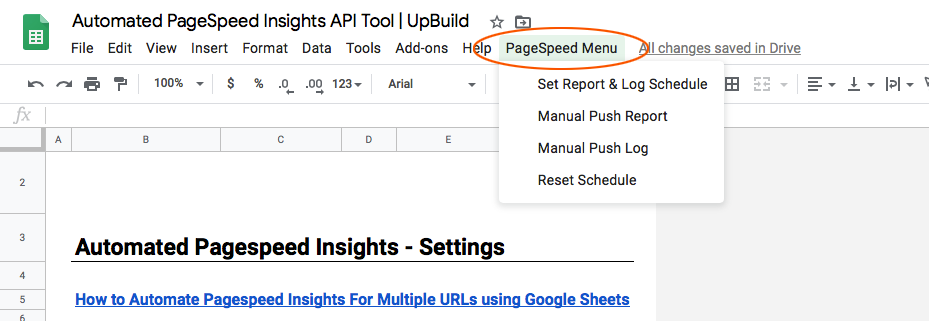
It also contains a menu item “PageSpeed Menu” which has options on how to run the script, again, self explanatory.
4Paste your API and URLs
Paste your API in the API KEY section. Open the sheet “Results” and paste your URL under the URL column and you are done.
Either you can schedule your script or you can just run it manually by clicking the “Manual Push Report” and voila your report will be ready as the script runs through.
If you want to edit the script just go to Tools > Script Editor and play around with the script.
Feel feel to share the article and don’t forget to thank the original author. Cheers 🙂